App-Development
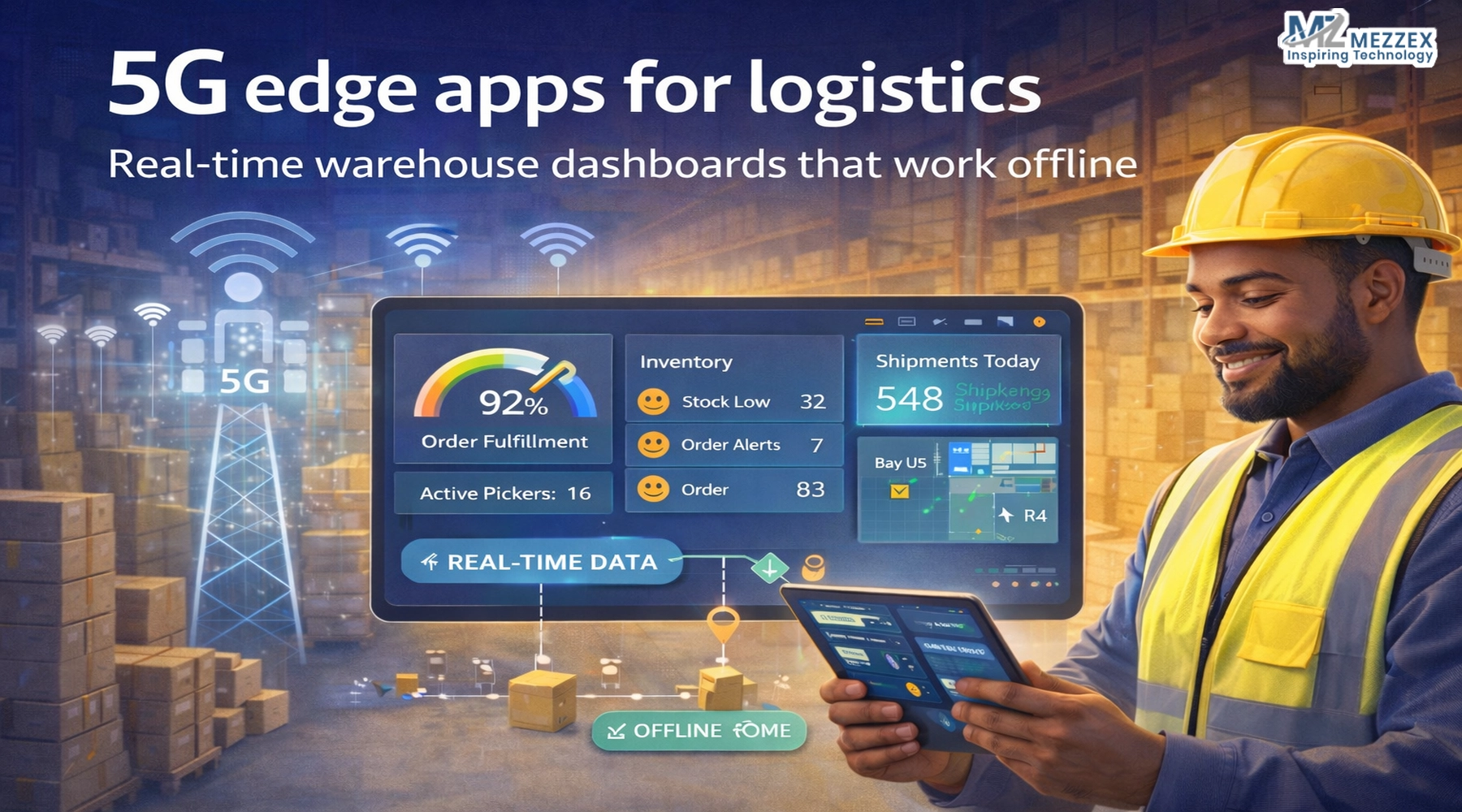
5G Edge Apps for Logistics: Real-Time Warehouse Dashboards That Work Offline
A pick wave starts, scanners move, and supervisors watch a dashboard to keep lanes clear. A dead zone hits, sync drops, and the screen shows old numbers. Teams continue to work, yet the system fails to reflect their progress. Counters drift, dispatch slips, and a manager spends time chasing updates instead of managing flow. Warehouses do not run on perfect connectivity, so the app must handle gaps by design. A 5G edge approach begins with one rule: keep critical warehouse actions working offline, capture each event, and sync when the signal returns. You protect accuracy, keep pace, and reduce manual rework across shifts.
Why “real-time + offline” matters in logistics
- Real-time keeps decisions aligned with work
- You track inbound status, put-away progress, pick queues, and dispatch readiness while teams move stock.
- You spot issues early, such as backlog spikes, repeat scan errors, and missing items, before they hit dispatch.
- Offline keeps workflow moving through signal gaps
- You complete scans, counts, moves, and confirmations even when a device loses signal in racking aisles or yard zones.
- You avoid paper fallbacks and later re-entry, which often creates mismatches and missed notes.
- 5G improves sync speed when coverage exists
- You treat 5G as a stronger pipe for updates when devices connect.
- You still design the dashboard to run without a network, since connectivity changes across zones and shifts.
What “edge” means for a warehouse dashboard
- You keep critical actions close to the work
- You run key flows on the device layer or a local layer, so the app does not wait for constant cloud calls.
- You keep dashboard views responsive during peak activity.
- You design around event capture
- You record each action as an event: scan, pick, pack, move, count, and dispatch confirm.
- You time-stamp events, attach user identity, and queue them for sync.
- You support devices your teams already use
- You plan for phones and tablets on the floor, plus a web portal for managers and admin teams.
- You build for Apple and Android ecosystems, so the solution fits mixed device fleets.
Define dashboard requirements before the build starts
- Users and responsibilities
- Floor ops: task list, item location, scan feedback, exception prompts.
- Team leads: workload by zone, task ageing, exceptions list, shift handover notes.
- Managers: backlog view, inbound-to-outbound flow, missed scans, and inventory checks.
- Views that match warehouse decisions
- Live workboard: assigned tasks, priority flags, blocked items, and ageing tasks.
- Inventory delta view: bins with repeated variances, high-move SKUs, and recount queues.
- Dispatch readiness view: staged orders, missing lines, late picks, carrier cut-off risks.
- Data and integration map
- You list systems that feed the dashboard, such as WMS and ERP, and define read vs write-back points.
- You define what the app stores locally for offline work and what it only shows when online.
- Permission and audit rules
- You separate view and edit permissions for sensitive actions, such as count overrides.
- You log user actions so operations teams can trace changes across shifts.
Offline-first design: what you plan up front
- Local data model
- You store task lists, assignments, and location references on the device so work continues offline.
- You store offline events in a queue, so no action disappears during signal loss.
- Sync and conflict strategy
- You define how the system handles two users touching the same SKU or bin while offline.
- You build clear conflict rules and a review path for exceptions that need human checks.
- UX rules that prevent hidden failure
- You show the offline state clearly and display sync status, so teams trust what they see.
- You avoid silent errors, and you surface “needs attention” items after reconnect.
- Support and maintenance plan
- You plan monitoring, bug fixes, and improvement cycles after go-live so the dashboard stays stable.
- You align this plan with a partner who offers ongoing support and 24/7 assistance.
A build path that fits Mezzex app delivery
- Project examination (scope and blueprint)
- You map workflows and define the key dashboard screens and offline moments.
- You finalise technical specifications and approve design mock-ups.
- Development process (build and quality)
- You implement the chosen development method and maintain code quality with reviews and audits.
- You build core flows first: offline task list, scan capture, exception handling, and manager views.
- User Acceptance Testing (UAT)
- You test dead zones, roaming between zones, and shift handovers with real devices.
- You test conflict cases and confirm the dashboard resolves them in a way teams understand.
- Release and support
- You release to production and plan maintenance and bug fixing so performance stays consistent.
Platform choices for warehouse dashboards
- iOS development
- You build iPhone and iPad apps and extend to Apple devices when the workflow needs it.
- You use iOS development for teams that standardise Apple hardware for supervisors and stations.
- Android development
- You build Android apps for phones, tablets, and wearables used across floor teams.
- You plan for device variety and keep the workflow consistent across screen sizes.
- Web application and Progressive Web Apps
- You build web apps for manager dashboards and admin portals.
- You consider Progressive Web Apps when you want browser access across devices with an app-style experience.
What to test before rollout (warehouse reality checks)
- Offline task completion
- You test pick, pack, move, and count flows with no signal for a full work block.
- You confirm each action syncs cleanly once a device reconnects.
- Accuracy under conflict
- You test two-user conflicts on bins and SKUs and validate the conflict rule.
- You confirm that the dashboard flags exceptions instead of hiding them.
- Operational clarity
- You confirm teams see offline state, pending sync, and errors without extra steps.
- You confirm managers understand “last updated” and do not make decisions off stale views.
- Long-shift performance
- You test battery drain, scan speed, and device heat across a normal shift cycle.
Speak with Us Today
Bring one warehouse workflow and one connectivity pain point, Mezzex turns them into a build plan you can test. Use a short call to outline device fleet, core dashboard screens, offline tasks, and UAT scenarios. Our team are experienced in iOS development, Android development, and web application development, and the process includes project examination, technical specifications, design mock-ups, development with code reviews, User Acceptance Testing, release, and ongoing support. Call us at +44 121-6616357 or visit our contact us page to start a project discussion.